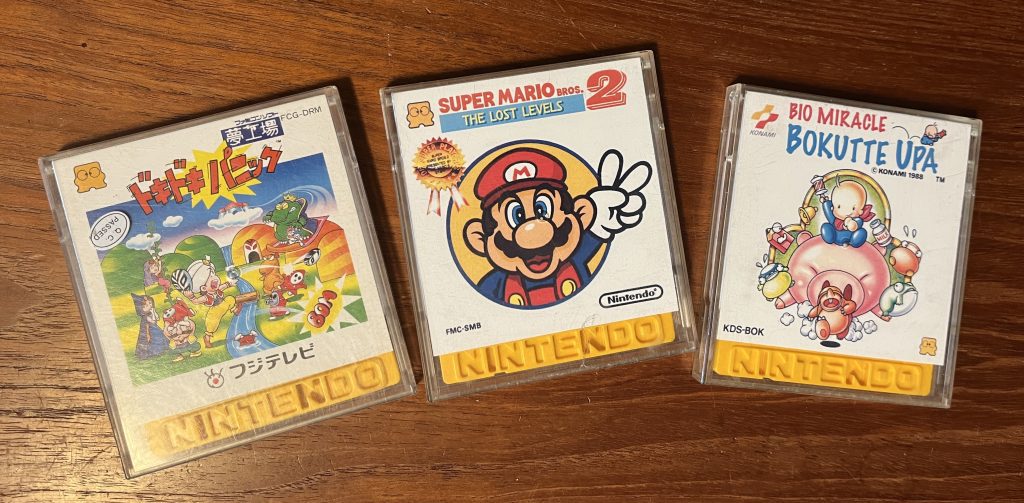
I had two games for Famicom Disk system that were missing the cover-paper – so what to do? Print new ones of course!
I started with an image search on google – found them both on https://www.gamingalexandria.com/ (great site by the way!).
I then measured the one original cover that I had – it’s 80mm x 145mm. So I went in to InDesign and made an A4 paper with two containers that size, with a thin outline so I can see where to cut.
I could be done there, but since these won’t be original covers anyways – why not take the opportunity to change the text to the english titles instead? So I made a quick Photoshop-job with them, before mounting them in InDesign, exporting them as a PDF and printing the paper.
Here’s the PDF if anybody else want to print just these two covers.
If you want to make the cover art from scratch, C0op3r from AtariAge shared this template with me:
Making labels for the disks require some more precise cutting and preferably printable sticker-paper. You can print on regular paper and just glue the label on, but it often gets pretty messy with this method.
The size of the labels are 52mm x 22mm with 2mm rounded corners. I would recommend printing them at least 1mm bigger, especially if you are planning on cutting them with a machine, so you won’t risk getting white edges.
I also found some guy sharing a template for the inner protective disk sleeves, if you would like new ones yourself. The template can be found here:
https://boosty.to/vroomsim/posts/8767e26b-ea9b-42a1-ac41-6251ebece7d5?fbclid=IwY2xjawNgXiRleHRuA2FlbQIxMABicmlkETFUdTkyRllOcWtIenBsYm4xAR7lTXYrRZaqsBC9f5nzMubLOp39SyvMMtScC8w-kFC_MFzKZS4w73RfPL3tPg_aem_IIf4rN7p_BDdpAIUsuOucg